Booking widget for your own website
Paste one snippet and visitors book desks, passes, meeting rooms and offices on your own website. Choose an inline widget, a popup from your own button, or a floating Book now badge. No coding required.
Your website already brings the visitors. Let them book without leaving it. Copy the embed snippet from Settings → Booking page into Wix, WordPress, Squarespace or any HTML page. The widget shows the same live availability and prices as your public booking page, takes the same payments, and puts every booking on your calendar.
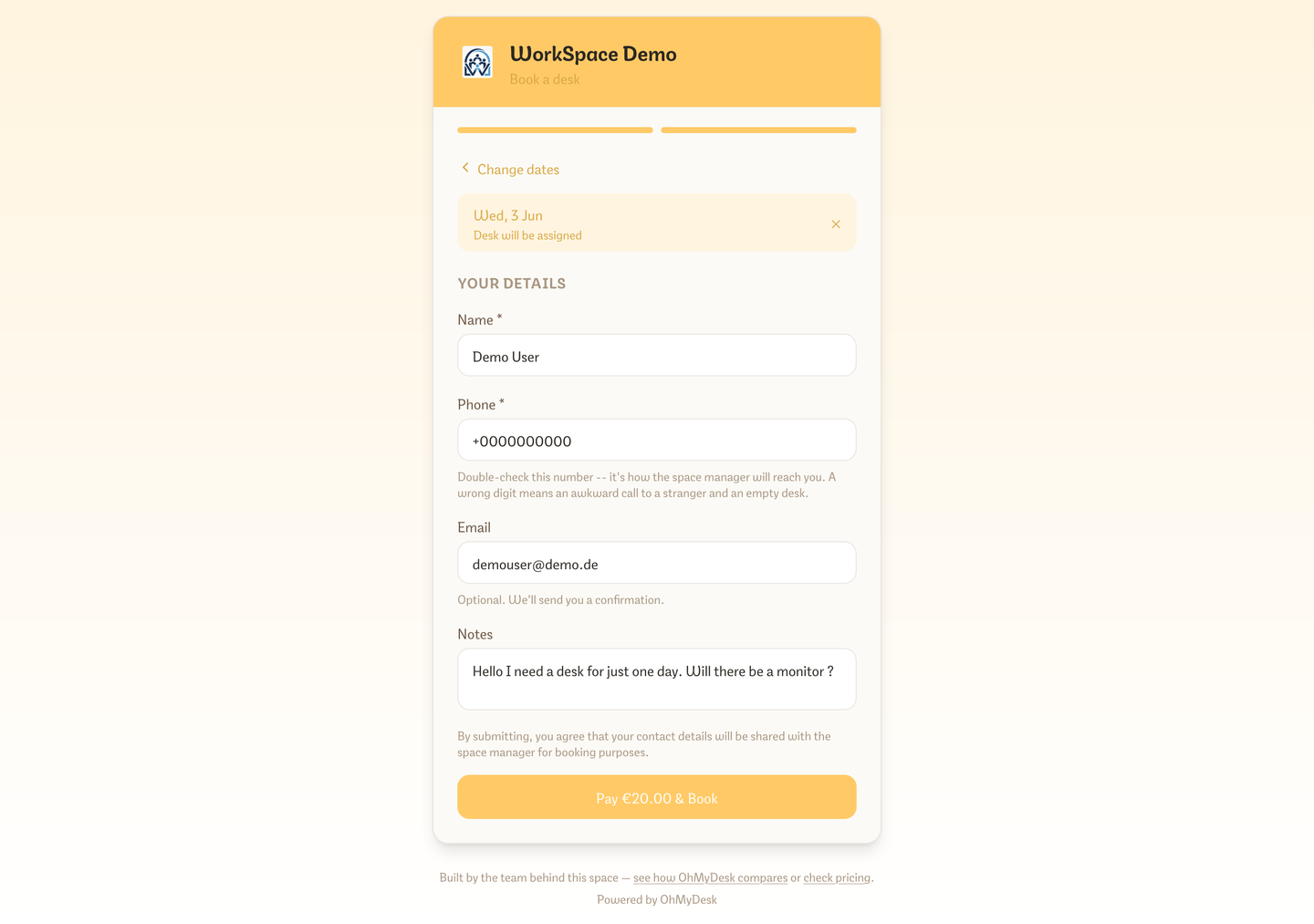
What you get
- Three ways to embed: inline in the page, a popup opened from your own button, or a floating Book now badge
- One snippet, no coding: paste it into Wix, WordPress, Squarespace or plain HTML
- Match your brand colour
- Scope the widget to one product: a specific pass, a named meeting room or one private office
- The popup grows to fit each booking step up to the screen height and goes full screen on phones; the inline widget shrinks again on shorter steps
- Developers can set the size with data-ohmydesk-width and data-ohmydesk-height
- Choose the widget language from your website: add data-ohmydesk-lang="el" (or en, de, es) to the embed code, or ?lang=el to a booking link. The language stays through every step and after payment, and without it the page opens in the visitor's browser language
- Follow what the guest picks: the embed tells your website whether the guest is on Desks, Meeting rooms or Offices and which plan, room or office they opened, once on load and again on every change, with the same ids as Share & embed → What to embed. Use onSelectionChange in the embed script, or listen for the selection message, for example to highlight the matching card next to the widget
- Direct links for website buttons: point a button at just your day pass, a flex bundle, a monthly membership, a named meeting room or a specific private office
- Conversion tracking for Google Ads and GA4: a stable thank-you URL for paid checkouts, plus a JavaScript event and an optional dataLayer push on every completed booking
- Same live availability, prices, extras and Stripe checkout as your public booking page
- Bookings from the widget land on your calendar and notify you like any other public booking
Frequently asked questions
- How do I add the booking widget to my website?
- Open Settings → Booking page → Embed on your website, choose inline, popup or floating badge, and copy the snippet into your page. It works in Wix, WordPress, Squarespace and any site that accepts an HTML snippet.
- Can a button on my site open only one room or pass?
- Yes. Under Booking page → Share & embed, What to embed points the link or widget at a day pass, a flex bundle, a monthly membership, a named meeting room or a specific private office.
- Can I track widget bookings in Google Ads or GA4?
- Yes. Every completed booking fires a JavaScript event, with an optional dataLayer push for Google Tag Manager, and paid checkouts land on a stable thank-you URL. Copy the URL and the snippet from Settings → Booking page.
- Can I set the widget language from my website?
- Yes. Add data-ohmydesk-lang="el" (or en, de, es) to the embed code, or ?lang=el to a booking or rental link. The language stays when a guest switches between Desks, Meeting rooms and Offices and when they return from paying or cancel the payment. Without it, the widget opens in the visitor's browser language. The choice is never saved, so your own app language does not change.
- Can my website react to what a guest picks in the widget?
- Yes. The embed sends your page a selection message when it loads and on each change: the tab (Desks, Meeting rooms or Offices) and the plan, room or office the guest opened, with the same ids as Share & embed → What to embed. With the embed script, use onSelectionChange; otherwise listen for the selection message yourself. Every message the embed sends is listed at the top of the embed script (/embed/v1.js).
- Does the widget work on phones?
- Yes. The popup goes full screen on phones, and the inline widget follows the width of your page.
Try every feature free for 3 months.
No credit card. Set up your space in under two minutes.
Start Free Trial