A self-service portal your members log into
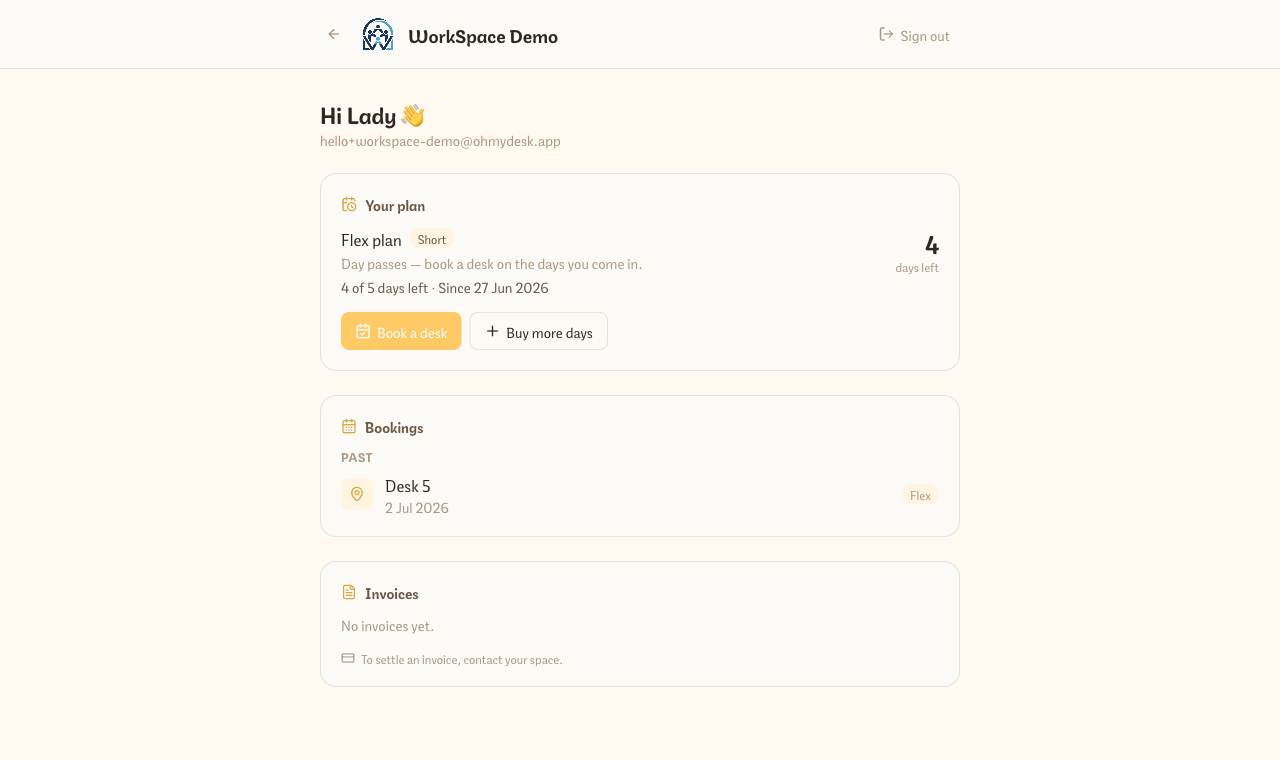
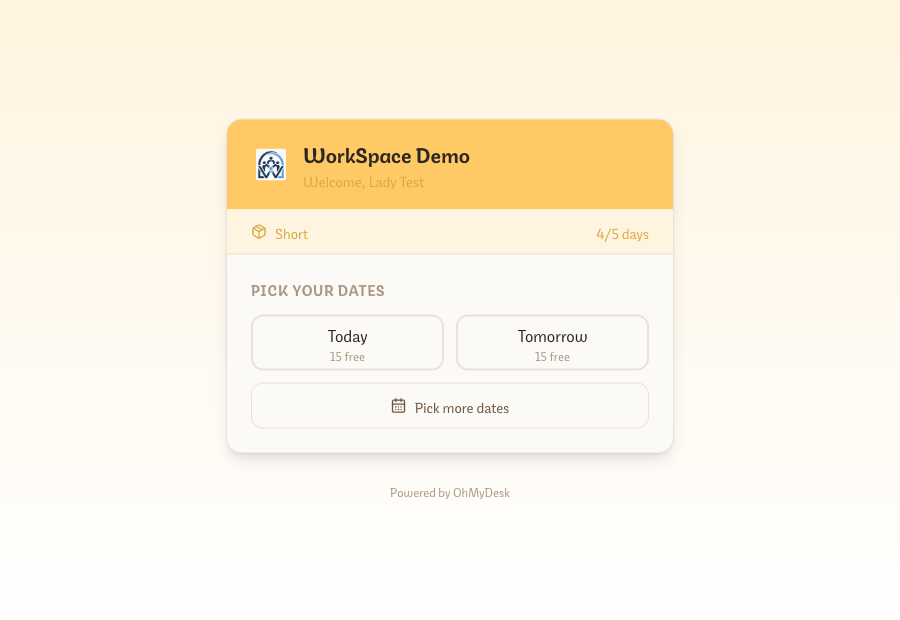
Every member gets their own logged-in portal — they sign in with Google or email to see their plan and day balance, their upcoming and past bookings, and their invoices. Turn on online payments and they settle invoices, top up flex days, or renew right there. Flex members also get a no-login link that opens straight to a date picker.
Members message you to ask “how many days do I have left?” or “can you resend my invoice?” — and every one of those is your time. The member portal hands that back to them. Send a member a single link; they claim it once and sign in with Google or email, and everything about their membership lands in one place: the plan they’re on, the balance they have left, the desks they’ve booked, and the invoices they owe — with a Pay button when you’ve switched on online payments. One account spans every space a member belongs to, and flex members additionally get a no-login link that opens straight to a date picker.
What you get
- Members sign in with Google or email and land on a dashboard of their plan, day balance, bookings, and invoices
- You invite them from the member’s own record — generate a single-use access link and share it your way; a per-member indicator shows who’s connected
- Pay online (when enabled): settle an invoice by card, buy more flex days, or renew a fixed-term virtual office or hot desk — all through your own Stripe account
- Flex members get a no-login booking link that opens to a date picker — one tap books a desk and decrements their balance
- One account spans every space a member belongs to — they switch between memberships without logging in again
- Members never see operator data — the portal is a separate identity scoped to just their own plan, bookings, and invoices
Frequently asked questions
- How does a member get access to the portal?
- You generate a single-use access link from their member record (Members → open a member → Portal access → Create access link) and send it however you like — email, WhatsApp, in person. They claim it once and set up sign-in with Google or email. A small indicator on each member row shows who’s already connected.
- Can members pay their invoices in the portal?
- Yes, once you switch on online payments. With your own Stripe account connected, members can pay a sent invoice by card, buy another bundle of flex days, or renew a fixed-term virtual office or hot desk. Every change is confirmed by Stripe before their plan or balance updates — nothing changes on a member’s word alone.
- Do members need a login to book a flex desk?
- No. Flex members get a personal no-login booking link that opens straight to a date picker showing which days have desks free. One tap books the day and decrements their balance — no account required. The logged-in portal is the richer view (plan, invoices, payments) on top of that.
- Can one member belong to more than one of my spaces?
- Yes. A member’s portal account spans every space they belong to. They sign in once and switch between memberships — each with its own plan, bookings, and invoices — without logging in again.
- Can members see my revenue or other members’ data?
- Never. The portal runs on a separate member identity scoped strictly to that member’s own plan, bookings, and invoices. Members have no access to operator screens, your finances, or anyone else’s records.
Try every feature free for 3 months.
No credit card. Set up your space in under two minutes.
Start Free Trial