Rolling month-to-month desk contracts that never expire
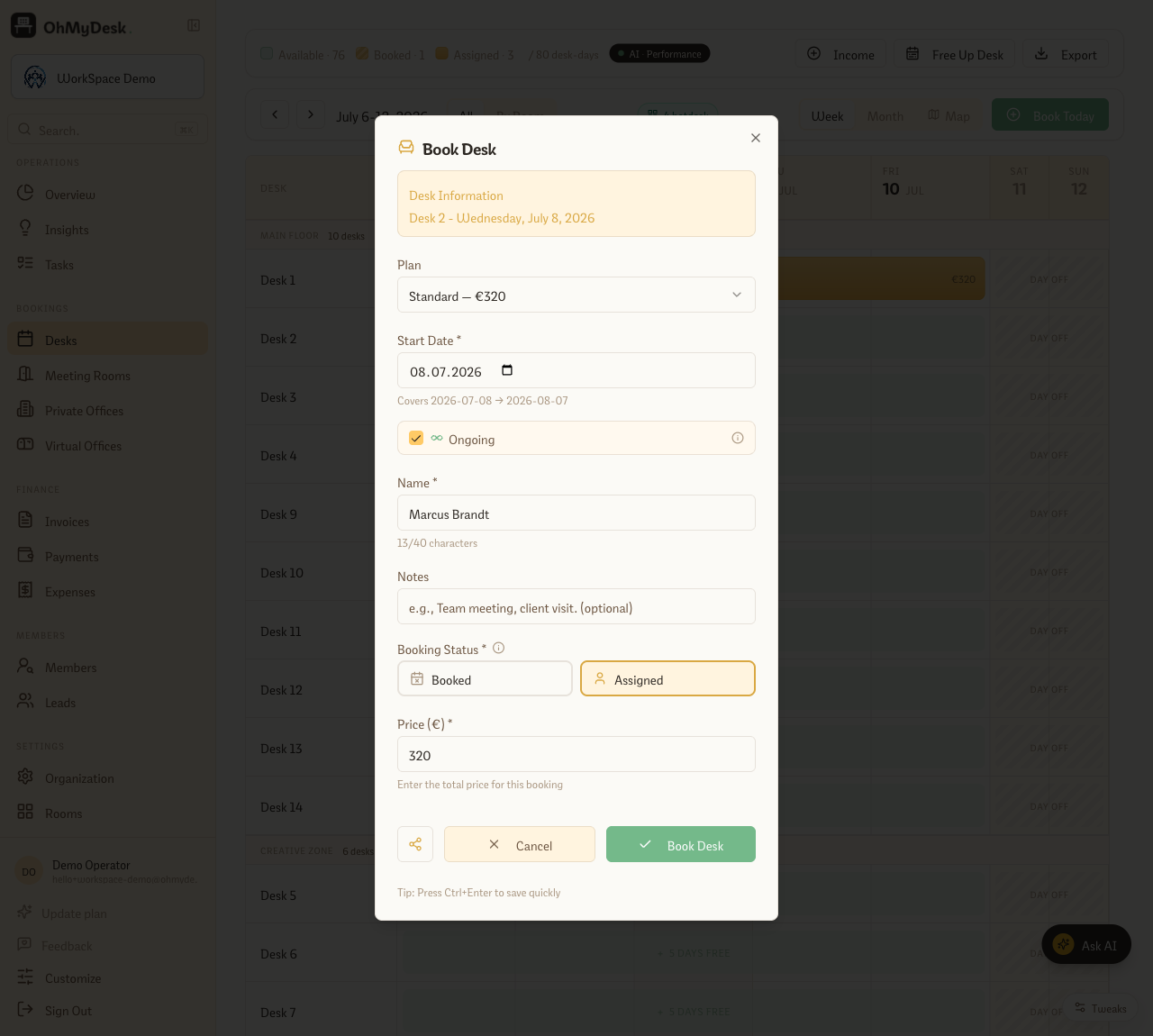
Assign a member to a dedicated desk with no end date. Tick “Ongoing” when you book and OhMyDesk keeps one paid month plus one pre-booked month always on the calendar — mark each month paid to roll it forward another month. No re-creating the booking every cycle.
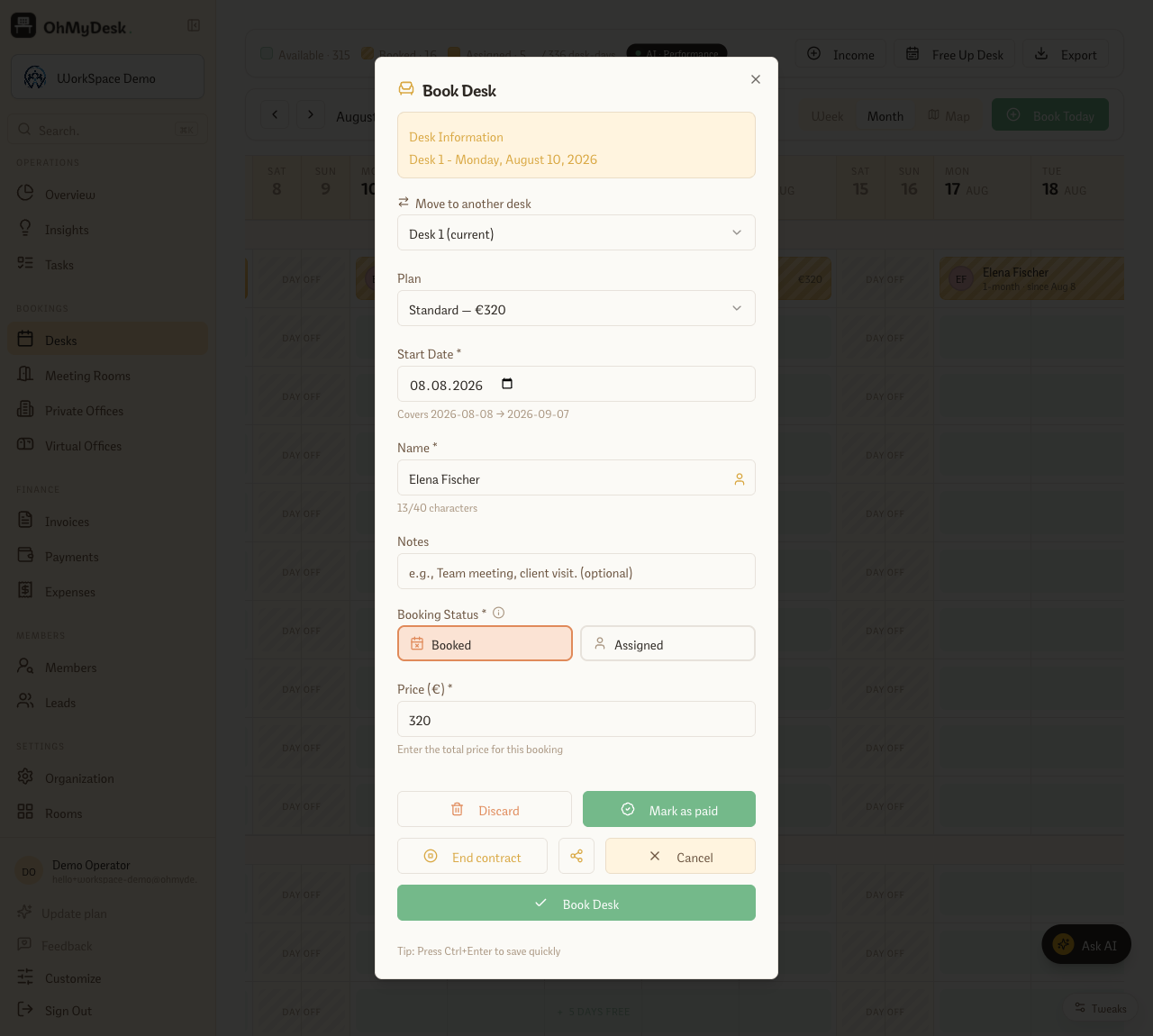
Some members aren’t on a fixed plan — they take a desk “until further notice” and stay for a year. Recreating or manually extending that booking every month is pure busywork. Open-ended contracts remove it: when you book a monthly desk, tick Ongoing. OhMyDesk lays down the current paid month and pre-books the next one, so the desk is always held ahead. When the member pays for the coming month, one click marks it paid — the desk rolls forward and a fresh month appears on the runway. When they finally leave, End contract closes it on the date you choose. The desk is never accidentally double-booked, and you never rebuild the same assignment twice.
What you get
- Tick “Ongoing” on any monthly assignment — no end date, and no re-booking each cycle
- The runway model: one paid month plus one pre-booked month always sit on the calendar ahead, so the desk is never dropped
- “Mark as paid” rolls the contract forward a month and lays down the next held month automatically
- “End contract” closes it on a date you choose and clears the held months in one step
- Conflict-safe: if the next month’s desk is already taken, the roll-forward stops and tells you first — no half-advanced contracts
- The calendar shows the assignment running “since” its start date, so an open-ended member is never mistaken for a plan that’s about to lapse
Frequently asked questions
- How is this different from a monthly desk plan?
- A monthly plan is a fixed calendar month with an end date. An open-ended contract has no end date — it’s the same monthly desk, but OhMyDesk keeps one paid month plus one pre-booked month on the calendar at all times and rolls it forward each time you mark a month paid. You never rebuild the booking or manually extend it.
- How do I extend an ongoing contract?
- Open the pre-booked (held) month on the calendar and click “Mark as paid”. The held month flips to paid and a fresh held month appears for the following cycle — so there’s always exactly one month of runway ahead. If the desk is already taken for the next month, the roll-forward stops and tells you before anything changes.
- How do I end an open-ended contract?
- Open any cell of the contract and click “End contract”, then pick the final day. OhMyDesk clears every future held month for that desk and member and closes the contract on the date you chose — no leftover phantom bookings.
- Which bookings can be open-ended?
- Open-ended is for monthly dedicated-desk assignments you set directly (status Paid). Weekly, day-pass, flex, and public self-service bookings aren’t open-ended — they keep their fixed dates.
- Is the first month charged automatically?
- No card is charged. Ticking Ongoing simply sets up the first month as your current paid month and pre-books the next — you collect payment your usual way, then use “Mark as paid” to record it and roll the contract forward.
Try every feature free for 3 months.
No credit card. Set up your space in under two minutes.
Start Free Trial