Run multiple coworking spaces from one account
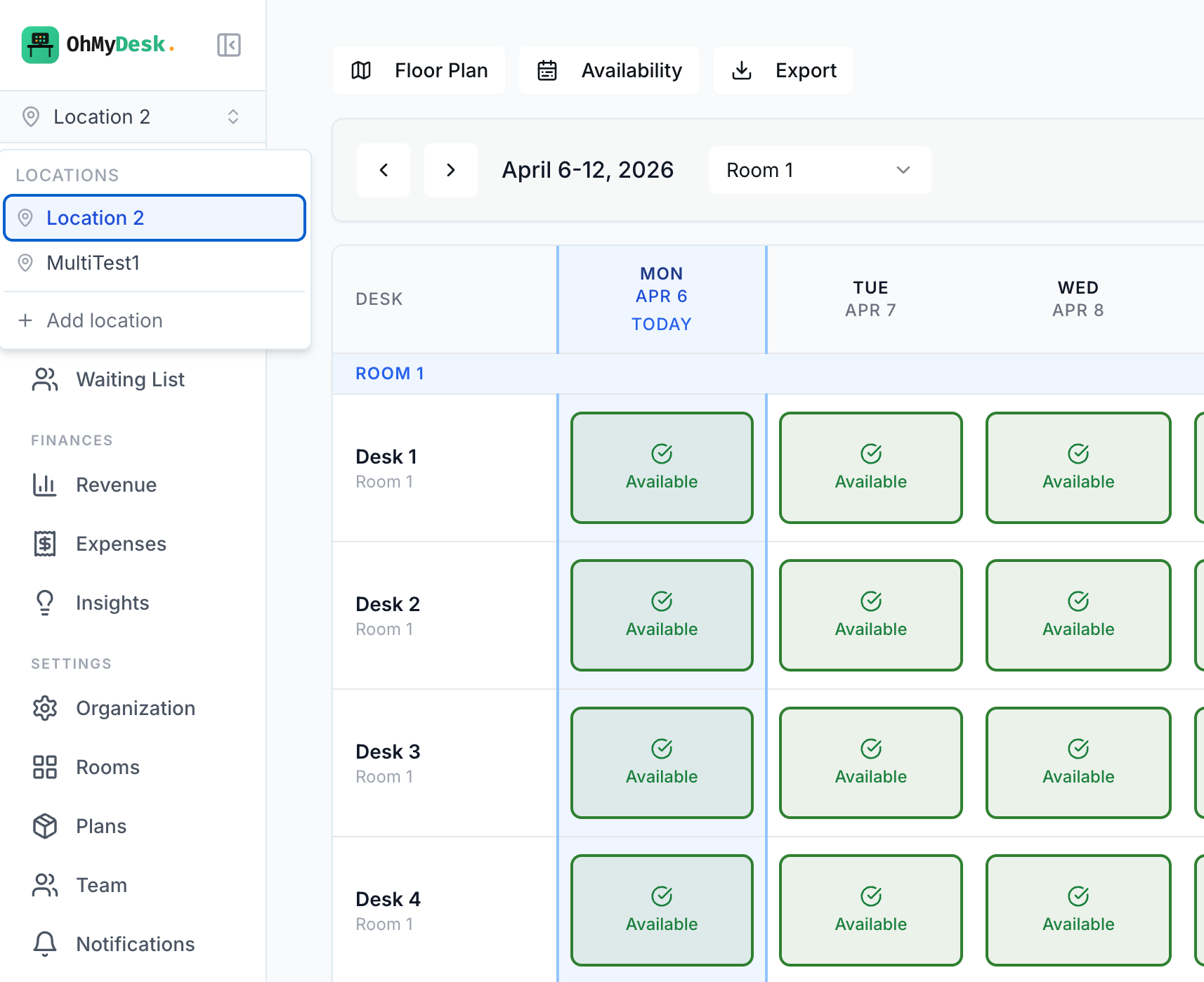
Multi-location lets one OhMyDesk account run several coworking spaces. Each location keeps its own rooms, desks, pricing and team, while members share one directory across locations. Owners add a location from the space name at the top of the sidebar. Unlimited locations are included in the Premium plan; Pro and the free trial cover a single location.
Operate two, ten, or fifty coworking locations under a single OhMyDesk account. Each location has its own rooms, desks, pricing, and team, and members are shared across locations through one directory. Available on the Premium plan.
What you get
- Unlimited locations under one account
- Per-location rooms, desks, pricing, and team
- Shared member directory — members can book across locations
- Per-location revenue and expense reports
- Owners click the space name at the top of the sidebar to open the Locations menu and choose Add location; Premium spaces go straight into the setup, while Pro and free-trial spaces see an upgrade prompt
- Linking a new location to an existing one keeps the first location's members, virtual offices and desk-calendar bookings visible — member records join the shared location group automatically
Frequently asked questions
- How do I add a second coworking location?
- Owners click the space name at the top of the sidebar, open the Locations menu and choose Add location. Premium spaces continue straight into the setup. Pro and free-trial spaces see an upgrade prompt, because they cover a single location.
- Do I lose my members or bookings when I link a new location?
- No. Members, virtual offices and desk-calendar bookings from the first location stay visible after you add another one, and member records pick up the shared location group automatically.
- Which plan includes multiple locations?
- Premium includes unlimited locations, a shared member directory and per-location reports. Pro and the free trial cover one location; upgrade to Premium to add more.
Try every feature free for 3 months.
No credit card. Set up your space in under two minutes.
Start Free Trial