Map calendar view — see your space, not a spreadsheet
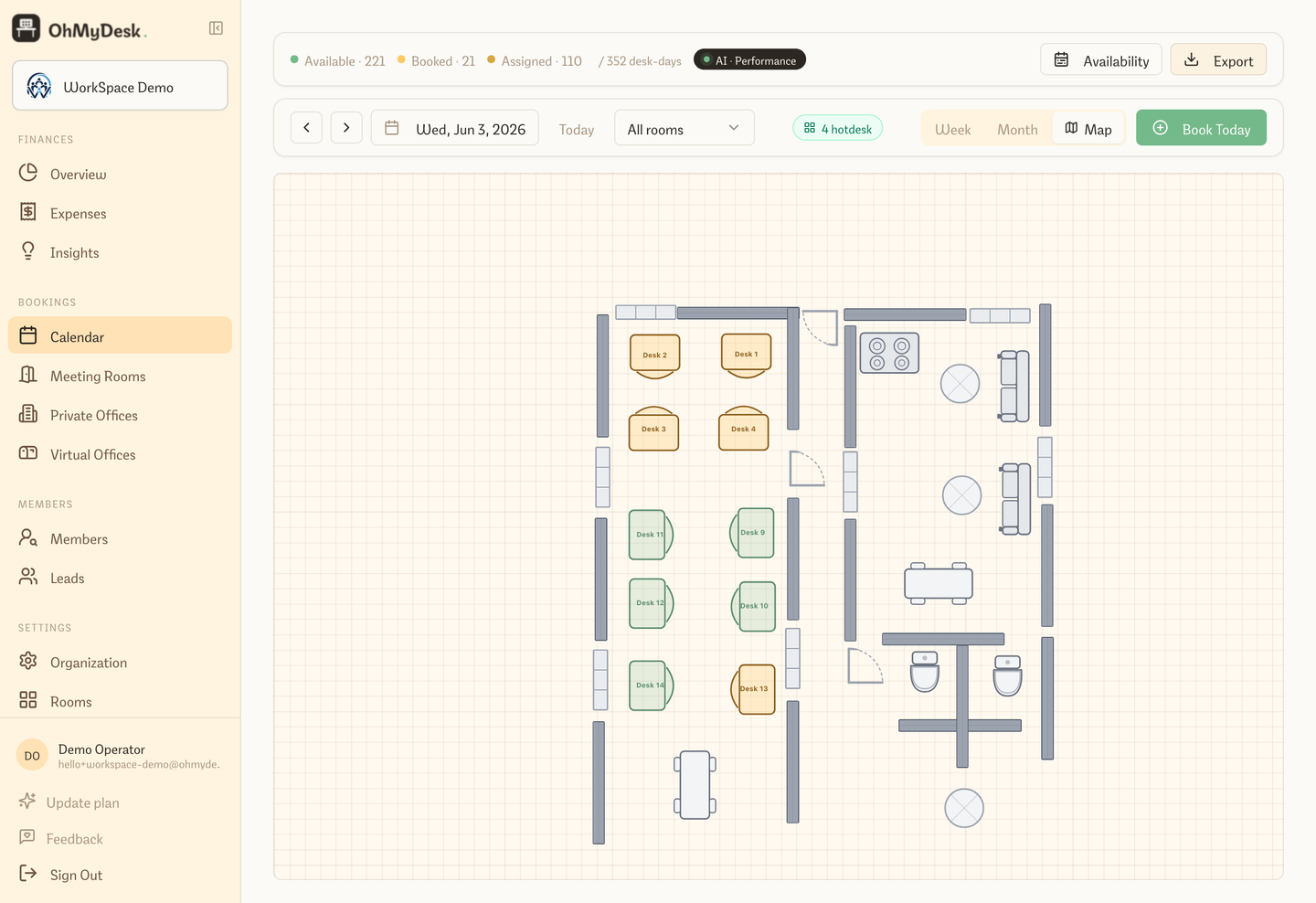
Switch to Map view in the calendar and see your actual floor plan with every desk colour-coded by its booking status for the selected date. Click any desk to open the booking modal directly from the map.
A third calendar mode alongside Week and Month. Instead of rows and columns, you see your real floor plan with desks lit up by status: green for available, orange for booked, blue for paid. Pick any date, click any desk, make or edit a booking — without ever leaving the map.
What you get
- Real floor plan rendered live — not a static image
- Colour-coded desk status: green (available), orange (booked), blue (paid)
- Click any desk to open the booking modal directly
- Date navigation skips weekends and non-working days automatically
- Works across all rooms on a combined canvas
Try every feature free for 3 months.
No credit card. Set up your space in under two minutes.
Start Free Trial