Ask about your space
Who is in today? Which desks are free this week? Who has not paid? Has Anna paid everything? Answers come from your live data, in the same direct message.
The OhMyDesk bot sends you new bookings, leads and reminders as direct messages. Ask it who is in today, or tell it a booking was paid. It shows what it will save, and saves only after you press Confirm. Connect it in a few minutes, with no code.
OhMyDeskAPP10:42
New booking
Mia Chen booked a desk at Harbor Hive Coworking
Desk: A4 · Date: Thu, 12 Nov
You11:05
who is in today?
OhMyDeskAPP11:05
3 people are in today: Mia Chen (A4), Lena Ortiz (A7), Jonas Weber (B2).
You11:06
Mia Chen paid cash for today
OhMyDeskAPP11:06
Record 15 EUR, cash, Thu, 12 Nov, for Mia Chen - A4, Thu, 12 Nov (1 day)
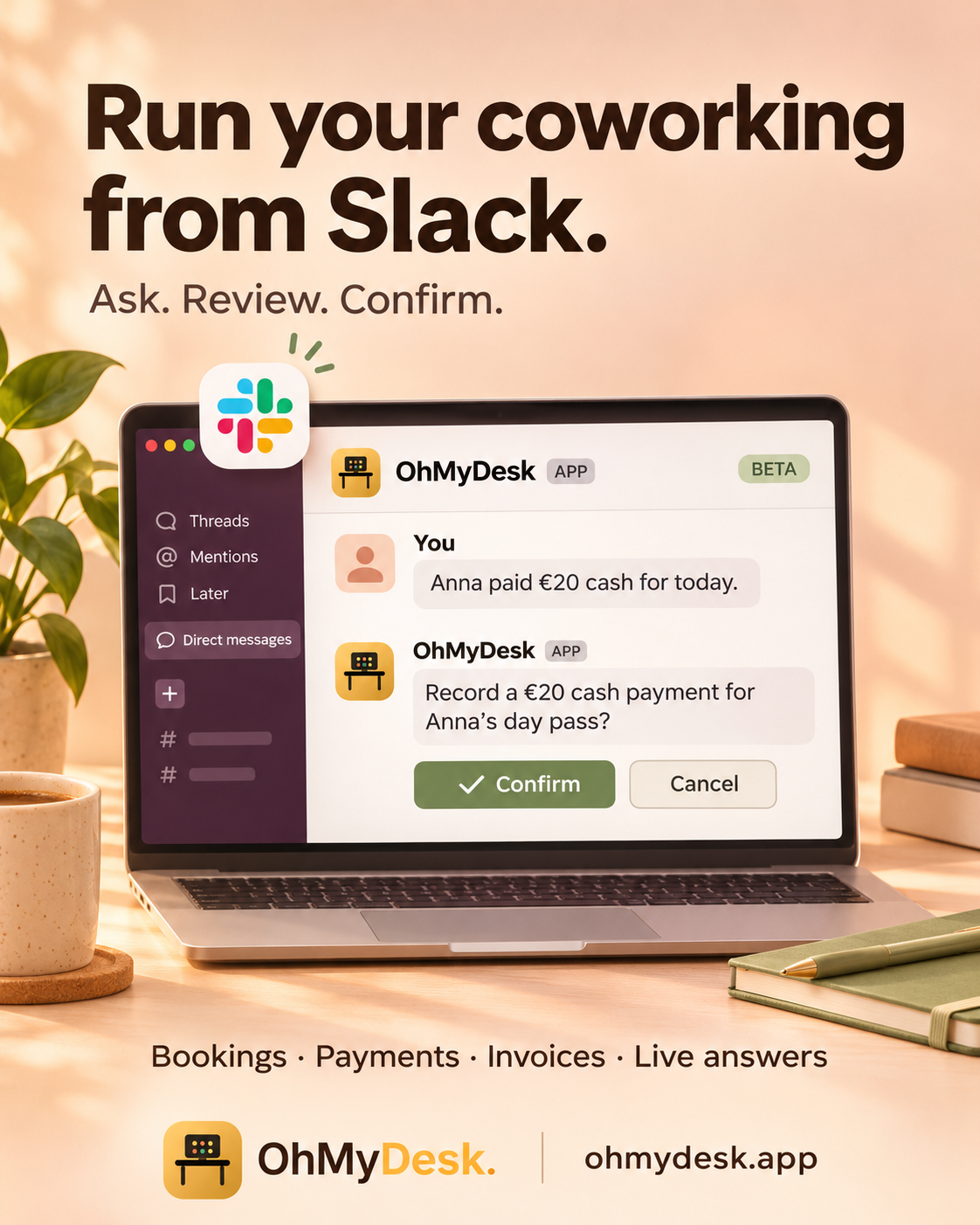
Reply to the bot like you would to a colleague. It uses your live data, in your space only, and answers in the direct message.
Who is in today? Which desks are free this week? Who has not paid? Has Anna paid everything? Answers come from your live data, in the same direct message.
Record a payment, book or cancel a desk, add a lead, a member or an expense, draft an invoice, let or vacate a private office. The same actions as the Autopilot in our Telegram bot.
For every change, Autopilot shows what it will save with Confirm and Cancel buttons. Nothing changes until you press Confirm. Press it twice and the second press does nothing.
Same Autopilot as in Telegram and in the app. See everything it can do →
See what happens in your space in the Slack you already have open. Buttons under the alerts open the right page, or start a payment for you to confirm.
Online desk and meeting room bookings and private office requests, with the guest's phone and WhatsApp and Viber links. A button opens the booking in your calendar, and Mark paid (Autopilot) records the payment after you confirm. Bookings you add in the app stay quiet.
Online booking →Someone asks your AI concierge about a desk or a private office? The lead arrives as a direct message, ready for a quick reply.
Leads pipeline →Who starts and whose desk assignment ends tomorrow, and desk bookings that are still unpaid two days after they started, with Mark paid buttons for the oldest ones.
Desk plans →New member onboarding forms, your task reminders and low-stock alerts arrive in the same chat.
All notifications →It takes a few minutes, and you do not need a developer.
In OhMyDesk, go to Integrations and open the Slack notifications card.
Click Connect Slack, pick your workspace and approve. The OhMyDesk bot sends you a welcome message.
Press Send test. A direct message arrives from the bot, so you know it works before the first booking.
New bookings and leads now arrive in Slack. Type a question to the bot at any time. Disconnect from the same card whenever you like.
During the beta, Slack may show a notice that the OhMyDesk app is not reviewed yet. Connecting still works.
The OhMyDesk bot sends you, the space owner, direct messages in Slack with the same alerts as our Telegram bot: new online bookings and private office requests, leads, member onboarding forms, task reminders, low-stock alerts, a daily summary of who starts and ends tomorrow, and desk bookings that are still unpaid. In the same chat you can ask the AI Autopilot about your space and tell it what to do. It saves a change only after you press Confirm.
The same questions and actions as in the Telegram bot. You can ask who is in today, which desks are free, who has not paid, and about leads, members and revenue. You can ask it to record a payment, book or cancel a desk, add a lead, a member or an expense, draft an invoice, and let or vacate a private office.
No. For every change it shows what it will save, with Confirm and Cancel buttons. Nothing is saved until you press Confirm. A proposal you do not confirm within 30 minutes expires, and a second press on Confirm does nothing.
It sits under new online desk and meeting room bookings, and under the oldest unpaid desk bookings in the daily reminder (up to four). Pressing it does not save anything. It asks the Autopilot to record the payment, which asks how it was paid if it does not know, and shows the amount with Confirm and Cancel.
Online desk and meeting room bookings, private office requests, leads from your AI concierge, member onboarding forms, task reminders and low-stock alerts. Once a day you also get who starts or ends tomorrow, and desk bookings that are unpaid two days or more after they started. Bookings you add in the OhMyDesk calendar do not send an alert.
Only the messages you send to the bot in its direct message, so it can answer you. It cannot read your channels or your other conversations, and it does not post in channels.
The space owner connects, tests and disconnects Slack. Admins and members cannot. Only the person who connected Slack can talk to the bot. If someone else in the workspace writes to it, they get one fixed reply and the Autopilot does not run.
Not at the moment. Alerts go as direct messages to the owner who connected Slack, the same way our Telegram bot works.
No. In Slack you type your message. Voice notes work in the Telegram bot and in Ask AI in the web app.
No. Slack gets every alert even without Telegram. If you use both, each gets the same message, and email notifications keep working as before.
There is no separate fee for Slack or for the Autopilot. They are included on every plan, and the free trial gives you every feature for 3 months, with no credit card. To stop runaway use, the Autopilot in Slack answers up to 8 questions a minute and 100 a day per space. Questions asked in Telegram and in the web app count toward the same 100.
It is in beta. When you connect, Slack may show a notice that the OhMyDesk app is not reviewed yet. Connecting still works. Tell us what you would like it to do next at [email protected].
Try every feature free for 3 months. No credit card. Set up your space in under two minutes.
Start free trial