Telegram & email notifications
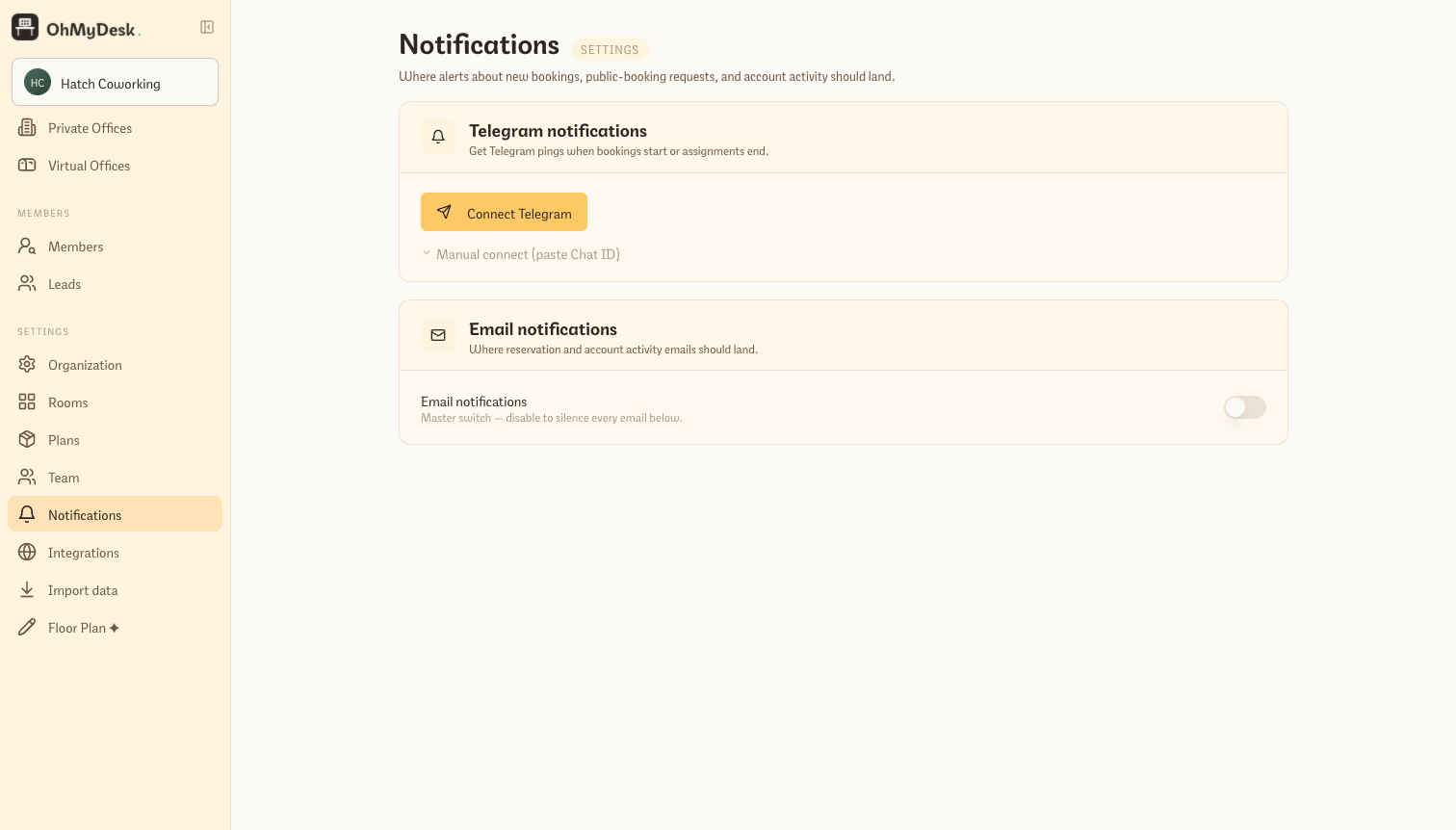
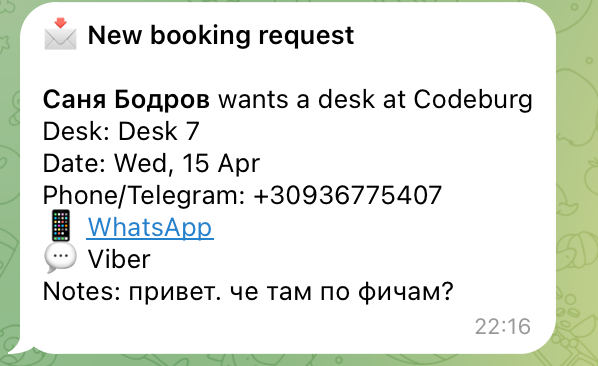
Real-time notifications for every important event: new booking, public booking request, flex plan running low, member added. Telegram is the primary channel (it works everywhere, free, instant) with email as a fallback, and you can also send news to your members by email or in their Telegram group or channel. Spaces in WhatsApp early access can also send opted-in members booking, door-link, invoice and failed-payment messages from their own WhatsApp number, once Meta approves the message templates. SMS is coming.
What you get
- Telegram bot integration — pair your account in 30 seconds. Open Settings → Integrations → Telegram for operators: one card to connect your private Telegram chat, manage your alerts and open Operator Autopilot. An existing connection carries over
- Browser alerts on this computer while OhMyDesk is open, including a background tab: new bookings, leads, and door-code problems. On for every space once the browser allows notifications (turn them on from the dashboard banner, or in the browser's site settings); block them in the browser to keep one computer quiet. Closing the browser stops them
- Member announcements: in the Communication Hub, click Connect group and pick your members' Telegram group. Your Concierge bot (your own bot, or @OhMyDesk_inbox_bot) joins and connects it, with no group ID to look up (a channel connects with its ID). Then write and send each post yourself. Nothing is posted automatically
- Email notifications branded with your space name
- Per-event email toggles (mute what you do not need)
- Public booking notifications include visitor contact info
- Slack alerts (beta): the OhMyDesk bot sends the owner direct messages in Slack with the same alerts as Telegram: bookings, leads, onboarding forms, task reminders, the daily summary and overdue unpaid bookings, with buttons that open the right page. In the same DM the owner can ask the AI Autopilot and confirm changes. Connect from Integrations; the owner can test or disconnect it
- A daily reminder lists desk bookings still unpaid two days after they started, in Telegram and the operator app, each with a link to mark it paid
- A task when a guest never got your email: if an email to a guest or member bounces, is blocked or is marked as spam, you get a task on the Tasks page due today, plus a notice in the app and on your phone. It names the address, which email did not arrive and what to do: call or message the guest, fix the address, and send the member portal link by hand
- Booking alert emails open your calendar on the booked day (or meeting rooms / leads for room and office requests)
- Guest confirmations list your contact email and Telegram from Settings → Contacts & Space; replies route to your contact email when set
- Booking confirmation emails with arrival details: write once where the entrance is, a map link, the Wi-Fi and your house rules in the Communication Hub, and every booking confirmation ends with them in the guest's language. The Wi-Fi password is held back from unpaid bookings unless you allow it
- Members can opt in to WhatsApp booking updates from public booking, the member portal, and the member card. Members only get WhatsApp messages after they opt in. For spaces connected to WhatsApp (early access), OhMyDesk creates the English and, when the space offers Spanish, Spanish message templates in Meta automatically; messages go out once Meta approves them
- SMS coming soon
Try every feature free for 3 months.
No credit card. Set up your space in under two minutes.
Start Free Trial